


BeenVerified Background Search
4.37.95K Reviews
App Specs
- Version
- 9.1.53
- Updated On
- License
- Free
- Downloads
- 1,000,000+
- Developer
- BeenVerified.com
- Categories
- Communication
- Platform
- Android, iOS
Screenshots
 Analysis by AppCompare
When I consider a people-search app, I want to know whether it can help me answer a practical question without encouraging me to treat an online result as the whole story. BeenVerified Background Search is built around looking up people and contact details, and that focus makes it most useful when I have a specific lead to check—not when I want a definitive judgment about someone. I’d approach its results as clues to verify, not proof.
Where the app fits today
BeenVerified is a communication app from BeenVerified.com. Its current version is 9.1.22, and it is free to download, with in-app purchases ranging from $9.99 to $99.99 per item. That distinction matters: installing it costs nothing, but using paid search features may involve a meaningful commitment. I would check the purchase terms in the app before starting a search if I only need a one-off lookup.
The app has a 4.4 average from around 23,000 ratings, with about 7,800 reviews and over 1 million installs. Those figures suggest that many people have tried it, but they do not tell me whether a particular search will return a match or whether the details will be current. Public-record searches depend on the information available for the person and the quality of the match, so I would never make an important decision from a result alone.
For everyday use, the key appeal is having searches for people and contact details in one place. That can be handy when I’m trying to identify an unfamiliar caller or make sense of a name attached to an email. It is a different job from a normal contacts app: my phone’s built-in caller tools are better for quick call screening, while a people-search service is for looking into a lead in more depth.
A practical way to use a search
Imagine I receive a call from a number I don’t recognize, followed by a message that gives only a first name. I could search the number, then compare any possible result with the context I already have. If the result points to several people or an old location, that is a reason to pause rather than pick the closest match. A name, phone number, or email can be shared by more than one person, and public information can lag behind real life.
My most useful tip is to begin with the strongest identifier I already have. A phone number or full email address is usually a more focused starting point than a common name. If I do search by name, I would use other details I know—such as a city or a known connection—to assess whether the result is plausible. This reduces the chance of confusing two people and turning a broad search into an unjustified conclusion.
I’d also keep a clear boundary between curiosity and a decision that affects someone’s rights or opportunities. A consumer people-search result is not a substitute for a formal process, and I would not use it to make employment, housing, credit, or other consequential decisions. If I need legally reliable screening, I would use the appropriate authorized service and follow the rules that apply, rather than treating a mobile search as a shortcut.
Worth Reading Before You Choose

EA SPORTS FC Mobile 26 Is a Bigger Football Game, but It Takes Time

Flipboard Shows What News Apps Must Do Beyond the Feed

Switching to Android Auto Means Rethinking Your Driving Routine

Google Calendar Makes a Crowded Week Easier to Manage

Ludo King Makes the Most of the Minutes Between Plans

Baby Panda World Brings Quick Play to Modern Phones, but Its Game Library Feels Busy
Using public information with care
I’d use public information as a starting point for careful questions, not as a verdict about someone. In this section, I’ll focus on practical ways to weigh a possible match and handle sensitive details thoughtfully, especially when a name or contact detail could point to more than one person. That distinction matters before deciding what a search can responsibly tell you.
What the search results can and cannot settle
A public-record report can help me decide what to ask next, but it cannot establish a person’s character or explain the context behind a record. Records can be incomplete, outdated, or associated with someone else who has similar details. I would look for consistency across identifiers before assuming a result belongs to the person I mean, and I’d seek confirmation from a direct, trustworthy source when accuracy matters.
This is also why I would avoid sharing screenshots or report details casually. Information about another person deserves careful handling, even when it is publicly accessible. I’d use the minimum detail needed for my own question, keep the search private, and avoid confronting someone based on a single unverified match. That is a more responsible way to use a tool that can surface sensitive information.
Choosing it over familiar alternatives
Compared with a web search, a dedicated people-search app can make it easier to organize a lookup around a phone number, email, or person rather than jumping between unrelated pages. But a regular search engine is often the better first step when I only want to check a business, find an official profile, or confirm something the person has published themselves. For an unknown caller, built-in phone spam protection may be quicker and less involved.
I’d choose this app when I have a specific reason to connect public information across identifiers and am willing to review the result cautiously. I would skip it if I expect a guaranteed answer, need a free one-time search, or want a formal background check for an important decision. Its value depends on having a useful lead and a clear purpose; without those, it is easy to spend time exploring information that does not actually answer the question.
Changes, continuity, and what to watch
The version available now is 9.1.22, which gives existing users a concrete point of reference when checking whether their installed app is current. I can’t infer a feature history from a version number alone, so I would not assume a particular recent redesign or newly added tool. If you already use the app, the practical approach is to review the version shown on your device and read the current purchase details before relying on a feature or renewing access.
For someone new, the download is free and the age rating is Everyone, but the paid items mean “free to install” should not be confused with “every search is free.” Before entering payment details, I’d check what access is included, how billing works, and whether the option suits the number of searches I actually expect to make. That small pause is especially useful if I only want to investigate one unfamiliar number.
As the app evolves, I would pay attention to clarity around search sources, result freshness, billing, and how users can correct or address information that appears to be wrong. Those are the details that affect trust more than a longer list of search categories. For existing users, it is sensible to reassess the app when its version changes rather than assume that a familiar interface means every result or term remains the same.
For privacy-minded users, the central question is not only what can be found, but whether a search is necessary and how the result will be handled afterward. I would avoid entering someone else’s information casually, and I would not treat a report as a substitute for asking a person directly when that is safe and appropriate. If I am searching for my own details, I’d focus on the app’s available options for reviewing or managing information rather than assuming a search result is automatically complete or removable.
Who will get the most from it
I think the best fit is someone who regularly needs to investigate unknown contact details and is comfortable checking possible matches against other context. It may also suit a person who wants a single place to start a public-information lookup instead of manually searching several sources. The trade-off is that convenience does not guarantee completeness, and paid access makes it worth deciding in advance how often you will use it.
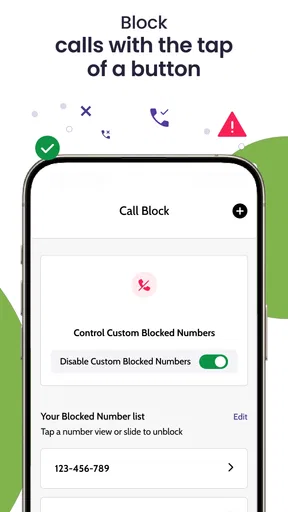
It is a weaker choice for someone who only wants to block nuisance calls, since the phone’s own blocking tools are usually more direct for that job. It is also not the right route for urgent safety concerns, legal verification, or high-stakes screening; those call for appropriate professional or official channels. For casual curiosity with no specific question, I’d think twice before paying for access, because more information is not automatically more useful.
What Exactly is BeenVerified?
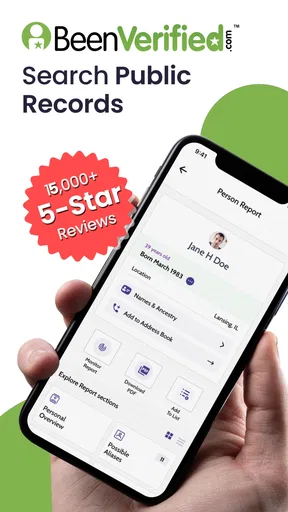
Alright, let’s dive in. BeenVerified is like having a personal detective nestled comfortably in your pocket. It offers users the ability to gather public information about individuals quickly and efficiently. From phone numbers and addresses to social media profiles and criminal records, it provides a comprehensive look at someone's public persona.
Features That Caught My Eye
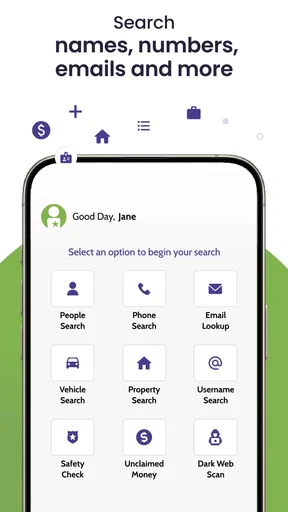
First off, the app's user interface is pretty clean and intuitive. I mean, nobody wants to wrestle with a clunky app when you’re trying to dig up the goods, right? The search functionality is straightforward: you can search by name, phone number, address, or even email. I tried running a few searches, and the results were surprisingly detailed.
One feature I found particularly nifty is the ability to set up alerts. Imagine wanting to keep tabs on any changes in someone’s public records – this alert system has got you covered. It's like having your own personal news feed about the people you're interested in.
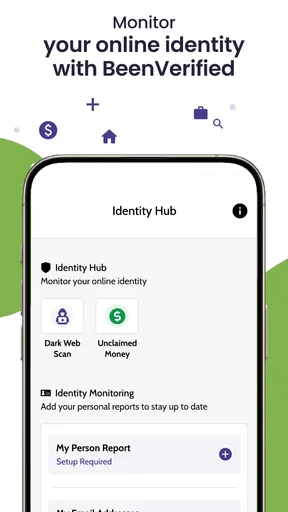
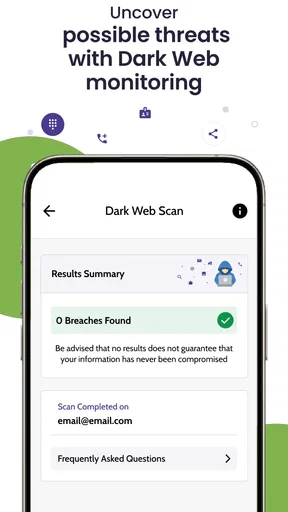
The app also boasts a "dark web scan" feature. I was initially skeptical, but it's designed to alert you if your information pops up in any shady corners of the internet. Definitely a good feature if you’re concerned about identity theft.
How Does It Stack Up?
So, how does BeenVerified Background Search compare to other similar apps? Well, for one, the sheer amount of information it aggregates is impressive. It pulls from a range of public records, which means the data is both extensive and reliable.
However, like with any app that deals with sensitive information, privacy is a concern. BeenVerified assures users that they comply with all legal standards, but it’s always a good idea to tread carefully and use such tools responsibly.
Getting Started and Pricing
Downloading and setting up the app was a breeze. Available on both Android and iOS, it took me just a few minutes to get everything up and running. The app offers a range of subscription plans depending on your needs. While it’s not free, the cost is pretty reasonable given the depth of information you’re getting.
There’s also a trial period, which I found handy. It’s a great way to explore the app’s features without fully committing. I’d recommend giving it a whirl if you’re curious but not quite ready to dive in headfirst.
Final Thoughts
Overall, BeenVerified Background Search is a solid choice for anyone looking to gather public information quickly and efficiently. It’s user-friendly, packed with features, and offers a level of depth that’s hard to beat. While privacy concerns are always something to be mindful of, if used responsibly, this app can be a powerful tool in your digital arsenal.
So, whether you’re just a curious cat or someone needing to verify a bit more about the people around you, BeenVerified might just be worth checking out. After all, in today’s world, a little extra information can go a long way.
Pros
- User-friendly interface for easy navigation.
- Comprehensive search results and data.
- Quick processing and fast results.
- Access to multiple types of records.
- Regular updates for accurate information.
Cons
- Requires a subscription for full access.
- Limited free features available.
- Occasional data inaccuracies reported.
- No real-time alert system for changes.
- Some reports may take time to generate.
FAQs for BeenVerified Background Search
What is BeenVerified and how does it work?
BeenVerified is a background check app that allows users to access public records easily. By entering a name, phone number, or email address, you can obtain information such as criminal records, contact details, and social media profiles. The app aggregates data from multiple sources to provide comprehensive reports quickly.
Is BeenVerified legal and safe to use?
Yes, BeenVerified is legal and safe to use. The app complies with the Fair Credit Reporting Act (FCRA) and other relevant laws, ensuring that the information provided is sourced from public records. However, it should not be used for employment screening or tenant screening purposes, as it is not a consumer reporting agency.
What kind of information can I expect from a BeenVerified report?
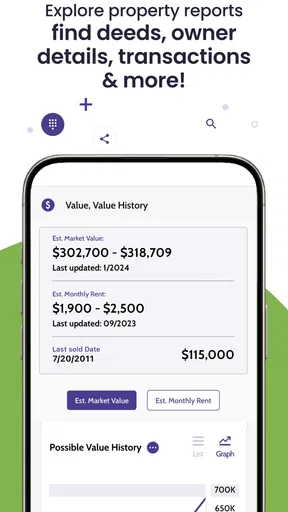
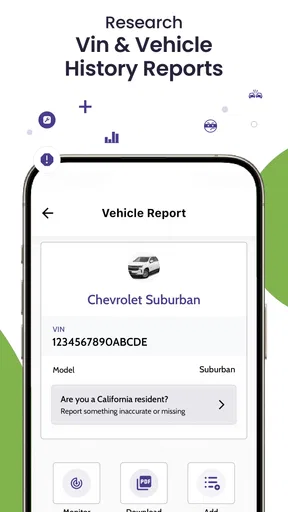
A BeenVerified report typically includes details such as criminal history, contact information, social media profiles, and more. The app may also provide data on property records, marriage and divorce records, and professional licenses. However, the availability of information can vary based on the individual’s public records and jurisdiction.
How accurate is the information provided by BeenVerified?
The accuracy of information from BeenVerified depends on the sources from which the data is aggregated. While the app strives to provide up-to-date and precise information, discrepancies can occur due to outdated or incorrect public records. Users should verify critical information through additional sources before making decisions based on the reports.
Does BeenVerified offer a free trial or refund policy?
BeenVerified does not offer a free trial, but it provides various subscription options to access its services. Users should review the pricing details on their website. Regarding refunds, the app has a satisfaction guarantee, allowing users to request a refund if they are not satisfied with the service within the specified period.


